
How Nationwide Home Values Works for Agents
If you're new to the platform, here's the whole picture in one place: how ZIP sponsorship works, what happens the moment a homeowner requests a home value report, and where everything lives once you're set up.

The model in one paragraph
Nationwide Home Values sells ZIP codes, not leads. You sponsor a ZIP code at a flat monthly or annual rate, and for as long as you sponsor it, every home value request that comes in from a homeowner in that ZIP routes to you and only you. There's no bidding against other agents for the same lead, no per-lead fee, and no referral fee owed at closing. One ZIP, one agent, at a time.
See it in action
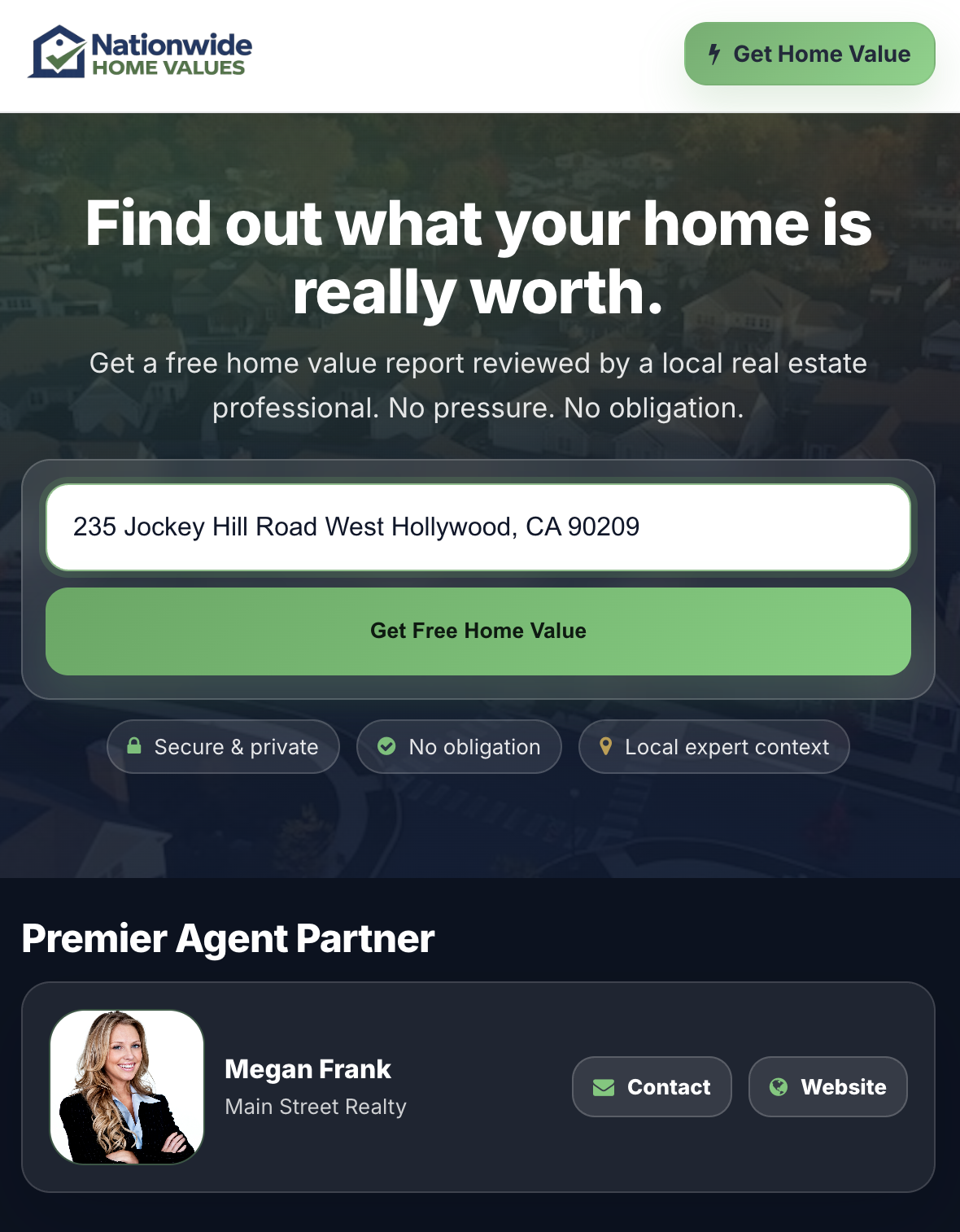
Here's the actual flow a homeowner goes through, and where it lands for you. Click a step to see it.
Step 1: Search and sponsor a ZIP
Start at Search ZIPs and enter a city, state, or ZIP code. You'll see which ZIPs are currently available and which are already sponsored by another agent. Available ZIPs show live pricing before you commit to anything. When you find one you want, you sponsor it directly, no application or approval process.
Most agents start with one or two ZIPs, ones they already know well or want to build a presence in, then add more once they see how leads convert. Every new sponsorship starts with a 30-day free trial, and it's cancel-anytime with no penalty, so there's little downside to starting small.
Step 2: A homeowner requests a home value report
On the consumer side, a homeowner in your sponsored ZIP visits the site, enters their address, and requests a home value report. That request is the lead. It routes to you automatically, based on ZIP ownership, the same day it comes in.
Step 3: You're notified and the lead lands in your portal
You get an email notification when a new lead comes in, and the full lead record is waiting in your portal under Leads: contact info, delivery preference (text, email, or phone), property address, and a street-view image of the home when available. From there you can update its status, add notes as you follow up, and keep everything in one place instead of scattered across email threads.
For the specifics on pricing tiers, exactly how ZIP routing and ownership work, and how cancellation works, see How ZIP Sponsorship Works.
Where everything lives
All of it is in one portal, reachable from Agent Login once your account is set up.
Frequently asked questions
Do I need to be approved to sponsor a ZIP?
No. Search ZIPs shows live availability and pricing, and you can sponsor any available ZIP directly, no application process.
What happens if I sponsor more than one ZIP?
Leads from every ZIP you sponsor route to the same portal and the same Leads list. You can filter by status, date, or request type to keep track of which ZIP a lead came from.
Can another agent take my ZIP while I'm still sponsoring it?
No. As long as your sponsorship is active, that ZIP is exclusively yours. It only becomes available to another agent if you cancel or your sponsorship lapses.
How fast do leads show up after a homeowner submits a request?
Routing is automatic and immediate. You'll get an email notification and the lead appears in your portal right away.
Ready to see what's available in your market?
Search ZIP availability and pricing instantly. No obligation to sponsor until you're ready.